You opened a Pinterest account a while back, pinned a few things, and then mostly forgot it was sitting there. You keep hearing other people talk about Pinterest traffic for bloggers, but yours just sits quiet while you keep feeding the other platforms, and by the next morning every piece has slid so far down the feed it may as well never have existed.
Here is the short version. Pinterest traffic for bloggers works because Pinterest is not social media. It is a search engine. People go there and type in what they want, the same way they type into Google, and the pin you make today can keep sending readers to your blog for months. You write the post once, you pin it once, and it keeps working long after you have moved on to the next thing. That is the part most people never see.
I am Angela Brooks. I have spent seventeen years in digital marketing, going back to the days I taught myself this work between shifts as a mental health nurse. Everything I publish still runs on WordPress and clears Yoast before it goes live. I am not guessing at how Pinterest works. I have watched it work for years.
What Pinterest Traffic for Bloggers Actually Is
Most people file Pinterest under social media and treat it like one more feed to feed. That is the whole mistake. Pinterest behaves far more like a library than a feed. More than 600 million people use it every month, and together they run over 80 billion searches looking for something to make, plan, try, or buy. Roughly seven out of ten of them arrive already planning to do something about what they find. They are not there to scroll past you. They are there to look for the exact thing you wrote about.
When someone searches and your pin matches what they typed, Pinterest shows it to them, and your pin links straight back to your blog. That is the entire mechanic. A pin is a doorway with your blog post on the other side of it. That is the foundation of Pinterest traffic for bloggers, and it is why one pin can outlast a hundred posts on a feed.
A pin is not a post that disappears by morning. It is a doorway that keeps standing there, waiting for the next person who searches.
Is Pinterest social media or a search engine?
Pinterest is a visual search engine, not a social network. People do not go there to catch up with friends. They go to search for ideas and plans, the way they would on Google or YouTube. That one difference is why a single pin can keep pulling readers to your blog for months instead of dying in a feed overnight.
Want to watch this work in real time?
Every week I pull back the curtain on what is actually moving readers and what is just noise. If you want to follow along while you sort out your own setup, come sit in the newsletter.
Why One Pin Keeps Working After a Facebook Post Is Already Gone
I will tell you where I finally saw this for myself. I had a Pinterest account for a long time and did not see the point of it, even while I had a blog sitting right there. Then I started doing one small thing. Every time I published a post, I made a pin for it and sent that pin back to the post. Nothing clever. I just kept connecting the two.
Months later I was looking at my tracking, because I tag every link so I can see exactly where a reader came from, and there it was. People were still landing on posts I wrote ages ago, and they were coming in through pins I had forgotten about. The post had stopped being new a long time ago. The pin had not stopped working. After seventeen years of doing this kind of work, that is still the pattern I trust most. The content that lives on a search engine keeps answering the question every time a new person asks it. If you want the bigger picture of why some content compounds while the rest vanishes, I wrote about that already.
How long does a Pinterest pin last?
A pin has no real expiration. Where a social post peaks in a few hours and fades, a pin can keep surfacing in search and sending traffic for months or even years, as long as it matches what people are looking for. That long shelf life is the reason bloggers use Pinterest to bring in readers without publishing something new every single day.
How to Fill In a Pin So Search Can Actually Find It
A doorway nobody can find is no better than a locked one. This is the part people rush past, and it is the part that decides whether your pin ever gets shown. Because Pinterest is a search engine, every pin comes with a set of boxes, and every one of them needs to be filled in on purpose.
Start with the pin title. Put the words someone would actually type at the front of it, not a clever phrase that means nothing to the search. If your post is about saving money on groceries, the pin title needs to say that in plain words, right near the beginning, so Pinterest knows who to hand it to.
Then the description. This is the box most people leave half empty or stuff with a pile of random tags, and it is doing far more work than they realize. Write it in real sentences. Lead with the same words your reader is searching, and tell her what she will get when she clicks. The description is how Pinterest decides what your pin is about and who to show it to. A vague description is a sign with no writing on it.
Next is the alt text. Keep it short and literal. Describe what is actually in the image, plainly, the way you would describe it to someone over the phone. It helps readers who use screen readers, and it gives the search one more clear signal about what your pin shows.
Last is the timing. You do not have to pin everything in one sitting, and you do not have to pin live every day. You can line your pins up ahead of time and let them go out on a steady rhythm while you are off doing something else entirely. That is the whole point of Pinterest traffic for bloggers. The work is front-loaded once, then it runs without you sitting on top of it.
None of these boxes are decoration. Leave one blank and you have built a lovely doorway the search cannot read, which means nobody ever walks up to it in the first place.
What should you write in a Pinterest pin description?
Write the description in full sentences, lead with the exact words your reader is typing into search, and say plainly what she will find when she clicks through. Skip the wall of hashtags. Pinterest reads your description to understand your pin, so clear keywords near the front are what get it shown to the right person.
The Part Nobody Tells You About Pinterest Traffic for Bloggers
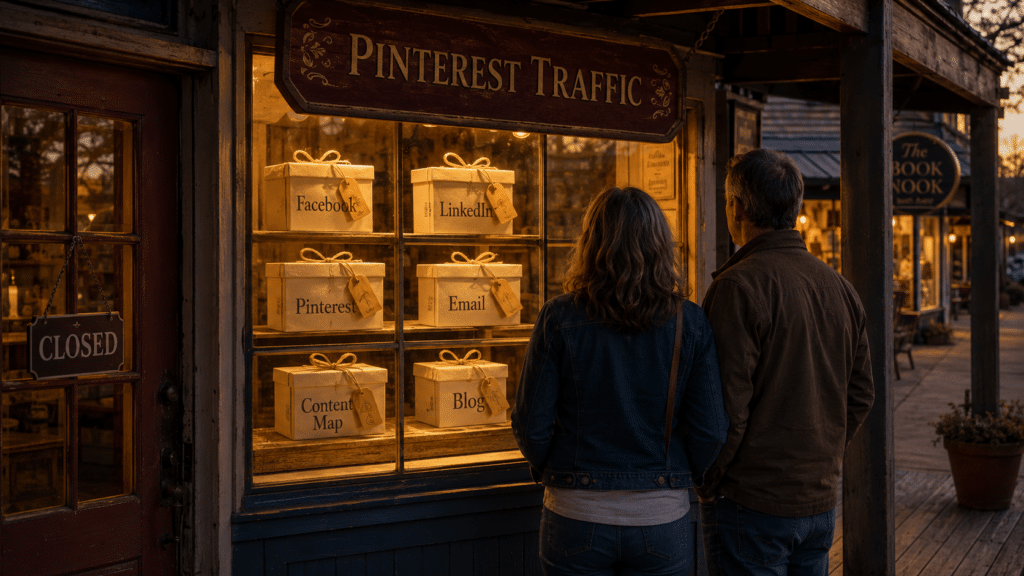
Here is where it goes sideways for most people, and it has nothing to do with pinning. Last night my husband and I were in a tiny town after everything had closed. We walked the main street in the dark and kept stopping at the shop windows. We pressed our faces right up to the glass, looked at how sweet everything was inside, and then we kept walking, because every single door was locked.
That walk is exactly what happens to your readers. A pin can bring someone right up to your window. They look in, they like what they see. I know that feeling, because I wanted to go inside and look around myself. There was something in one of those windows I would have bought, not that I needed it, but because seeing it up close made me want it. The only thing between me and that little yes was a locked door. Your reader reaches for your door the same way. If there is nothing there to let her in, no place to leave her email, no next step to take, she does the only thing left to do. She keeps walking to the next window.
The locked door is not their fault. It is not that they were not interested. It is that the shop had its lights on and its door shut. The fix is small, and it is completely in your hands. You give them a way to come inside. You let them leave their name so the conversation does not end at the glass.
Pinterest brings people to your window. Your email list is the door that lets them walk in. Without it, you paid for window shoppers.
This is the exact thing the Content Map was built to fix. It walks you through writing one strong post, turning it into a doorway across the six places people actually search, and sending every one of those readers somewhere you own instead of leaving them out on the sidewalk. At $37, it is the smallest decision with the biggest payoff you can make for the way your content works right now, because it puts you on land you actually own instead of renting space on a feed.
Does Pinterest traffic actually work for bloggers who do not post every day?
Yes, but only when your blog gives the reader somewhere to go. Pinterest can send people to your post for months without you pinning daily. That traffic turns into readers and income when the post has an email capture and a clear next step. A pin with no door behind it brings visitors, not relationships.
Here Is the Whole Thing in One Breath
Pinterest is a search engine, a pin is a doorway, and one post can keep bringing readers for months without you starting over every day. None of it counts for much until you put a door in the shop and let people come inside.
Ready to put a door in your shop?
The Content Map shows you how to build the post, the pins, and the door as one connected piece, so every reader you bring in walks back to something you own.
And if you just want to follow along and watch how this works week to week before you decide anything, you can come sit in my newsletter. No rush. The door stays open either way.
Be unpolished, Angela.